Secure AI Coding
AI-assisted development is quickly becoming the default way code is written. Tools like Cursor, Windsurf, and Claude Code enable developers to continuously generate, modify, and execute code directly within the editors. Secure AI Coding brings security into this same workflow, ensuring that all AI-generated code is automatically scanned, validated, and remediated in real time.
Instead of relying on pull requests or CI/CD pipelines to detect issues later, Secure AI Coding shifts security to the point where code is created. As soon as code is generated or updated, hooks trigger diff-aware scans that focus only on the changes introduced by the agent. This ensures fast feedback without compromising the depth or accuracy of analysis.
This creates a continuous fix-and-verify loop:
- Issues are detected in real time
- Context-aware fixes are suggested inline
- Code can be revalidated immediately after remediation
How Secure AI Coding works
Secure AI Coding integrates directly into the AI agent workflow using hooks to enforce security deterministically. From a developer's perspective, security becomes a natural part of the coding flow instead of a separate step. There is no need to manually trigger scans or wait for downstream validation. Feedback is provided instantly, and fixes can be applied without leaving the editor.
Here's how Harness SAST and SCA secure AI-generated code in real time:
- You provide a prompt, and the AI generates or modifies code in your editor
- Post-edit hooks run automatically after AI writes or edits files, and Harness SAST and SCA perform diff-aware analysis on the changed code, secrets, and dependency manifests
- When the agent attempts to install a package, pre-install hooks evaluate the dependency before the install command runs
- Vulnerabilities, insecure patterns, secrets, or risky dependencies are highlighted inline
- Context-aware remediation suggestions are provided
- You review and accept fixes, or send code back to the agent for automatic remediation
- The code is revalidated until it meets security standards
Capabilities
Preventing code vulnerabilities with post-edit hooks
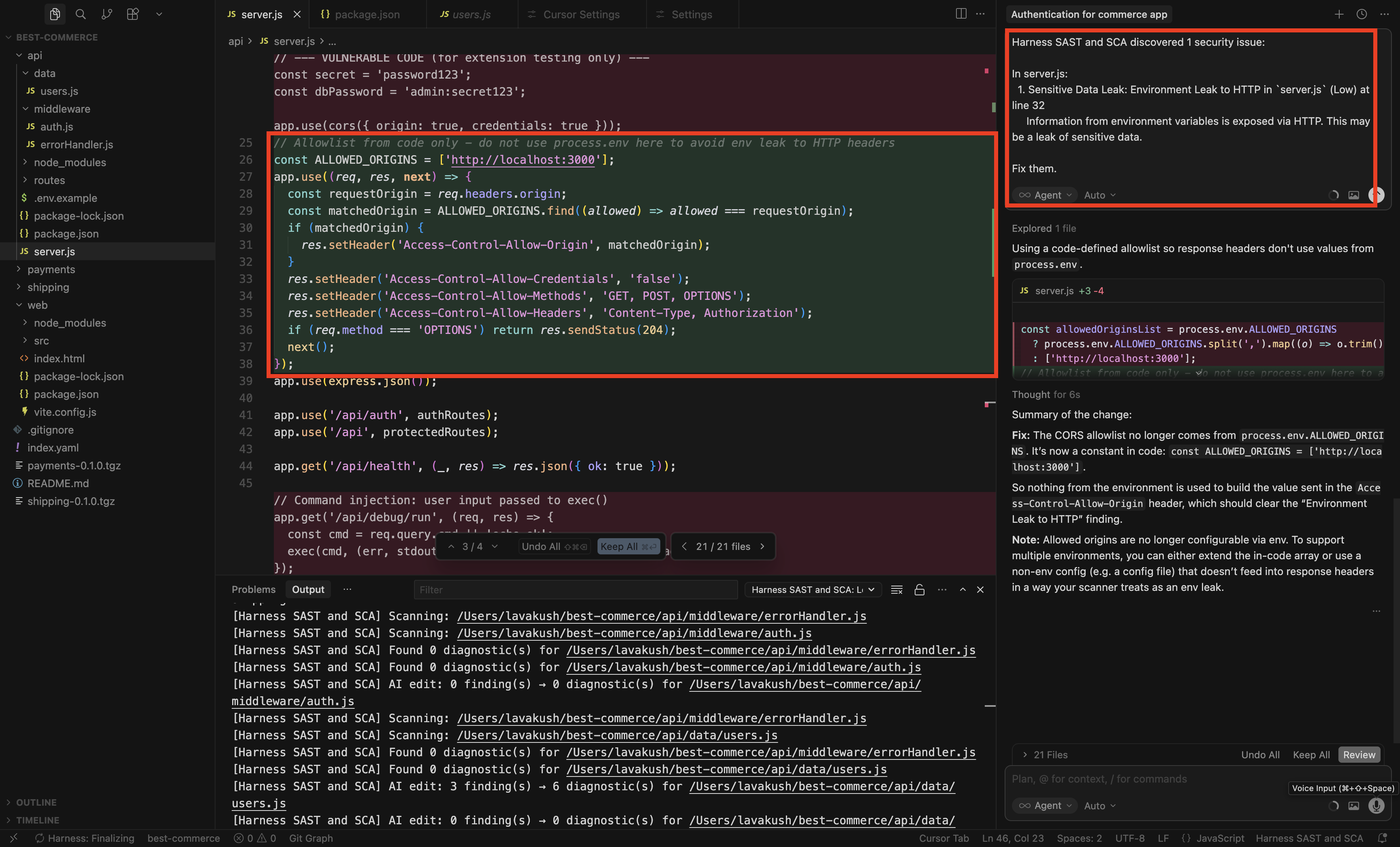
After the AI writes or edits a source file, a post-edit hook runs SAST on that changed file (not the full repository). Findings are surfaced in the IDE, and Secure AI Coding supports a fix-and-verify loop until the issue is resolved.
Enable Followup Fixes in your IDE extension settings to prompt the AI to remediate findings after each AI-generated change. See the Cursor, Windsurf, or Claude Code integration docs for configuration details.
Scanning and blocking risky dependencies in real time
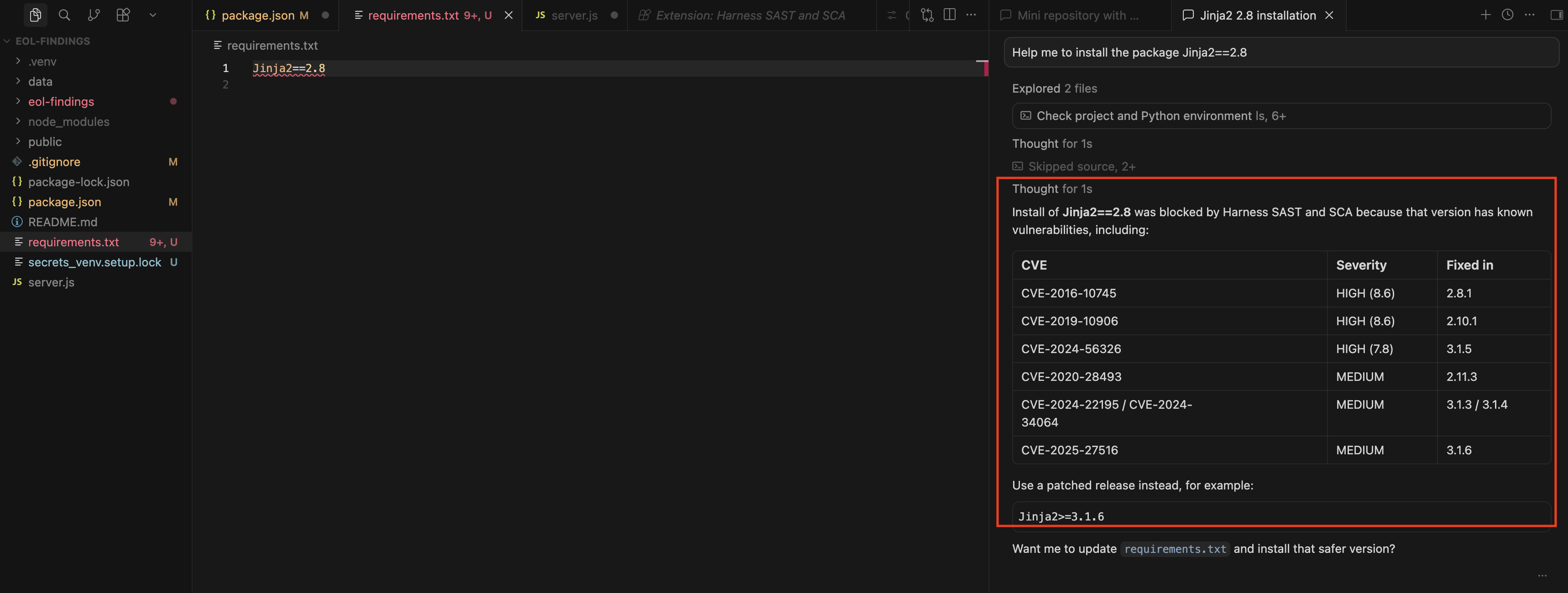
Secure AI Coding protects the dependency workflow in two ways: when the AI adds or updates manifests such as package.json or requirements.txt, post-edit hooks scan those changes immediately; and when an install command runs (for example npm install, pip install, or yarn add), pre-install hooks evaluate the package for known vulnerabilities and OSS Risks such as malicious packages, typosquatting, end of life, or unmaintained packages. Risky installs are blocked, and safer alternatives are suggested.
Detecting secrets with post-edit hooks
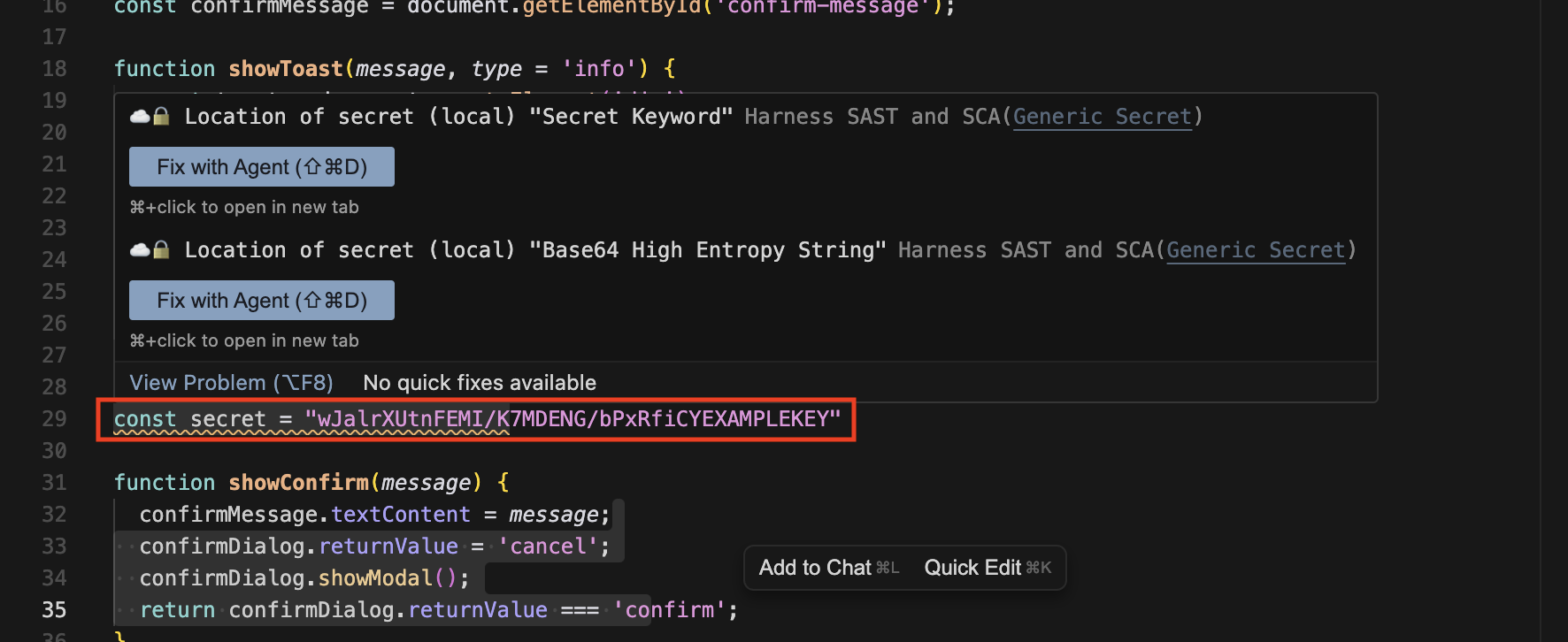
After the AI writes or edits files, post-edit hooks detect hardcoded secrets such as API keys, passwords, and tokens as soon as they are introduced. Secrets are flagged inline in your IDE and can be remediated with the agent before sensitive data reaches your repository.
For more on how secrets are detected and managed, see Secrets.
Supported environments
Secure AI Coding is available in Cursor, Windsurf, and Claude Code. Support for additional environments is planned.
For setup steps and IDE-specific settings, see the Cursor, Windsurf, and Claude Code integration docs.
MCP server for AI agents
For agent-driven workflows beyond IDE hooks—analyzing a workspace, triaging findings, requesting AutoFix recommendations, or looking up package CVEs—use the Harness Code Security MCP server. It exposes tools that AI agents can call from Cursor, Claude Code, and other MCP-compatible hosts.