GitHub App for AutoFix
Overview
Harness SAST and SCA GitHub App enables integration between GitHub and Qwiet AI by Harness to support AutoFix workflows, automated pull requests, and interactive vulnerability remediation directly within GitHub pull requests. Once installed, the GitHub App allows Qwiet AI by Harness to create, manage, and respond to AutoFix PRs without requiring a GitHub Personal Access Token (PAT).
AutoFix can be configured at the organization level, and applications can either inherit this setting or enable or disable AutoFix independently at the application level. However, for AutoFix to work, it must be enabled for the specific application. If you're using the GitHub App, ensure that a GitHub PAT is not configured at either the organization or application level, as a PAT will override the GitHub App when creating pull requests.
Installation
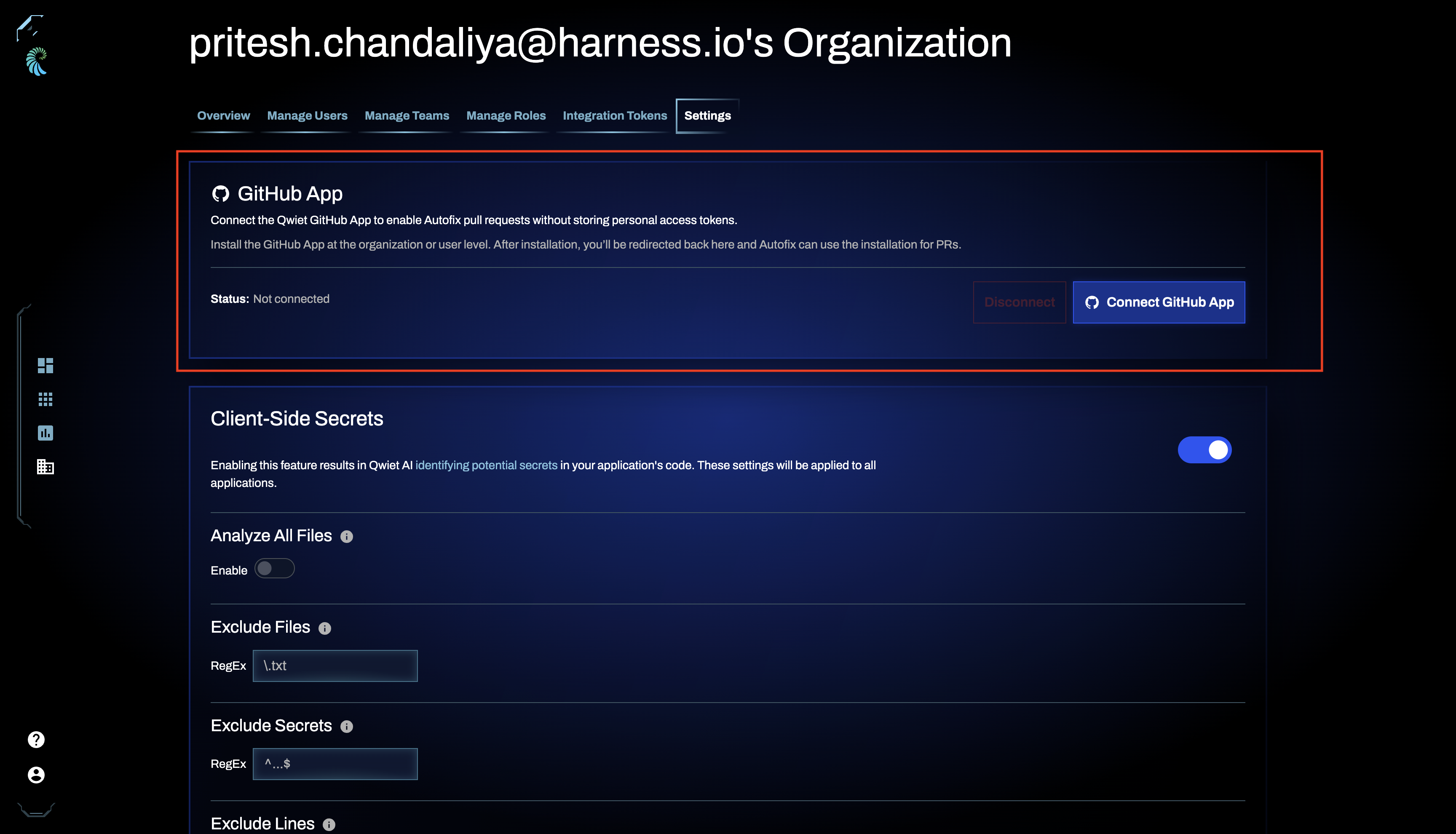
- In the Organization settings page, scroll to the bottom for the GitHub App, click on Connect GitHub App.
- Choose the GitHub organization or user account where you want to install the app.
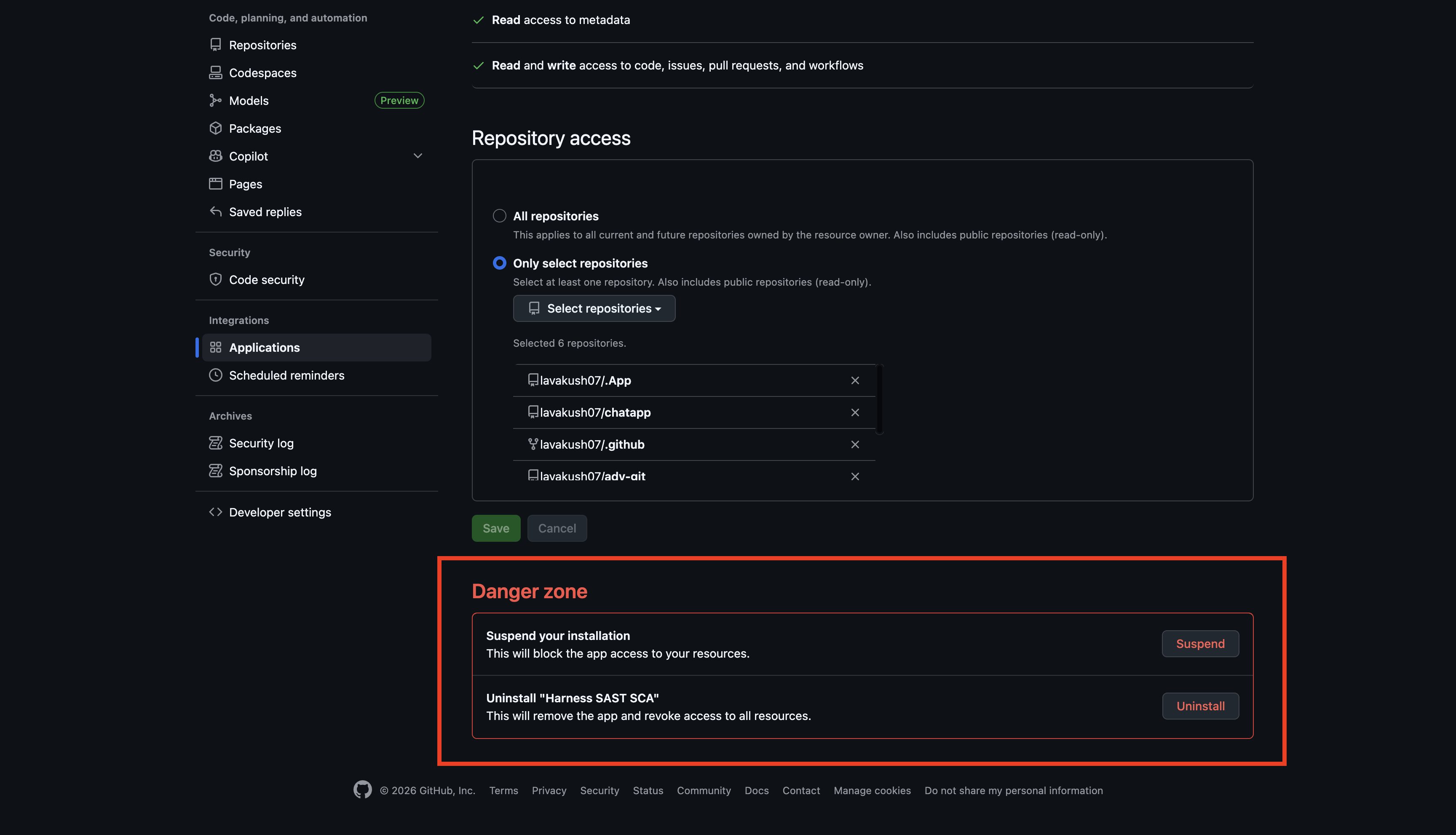
- Select the repositories to onboard and complete the installation flow on GitHub.
AutoFix Pull requests
After installing the GitHub App and enabling AutoFix, you can configure it to create pull requests with the suggested fixes for any application.
-
AutoFix pull requests are authored by the
harness-sast-scabot. -
Pull requests can be triggered manually or automatically, depending on the selection in the AutoFix settings panel.
PR comments
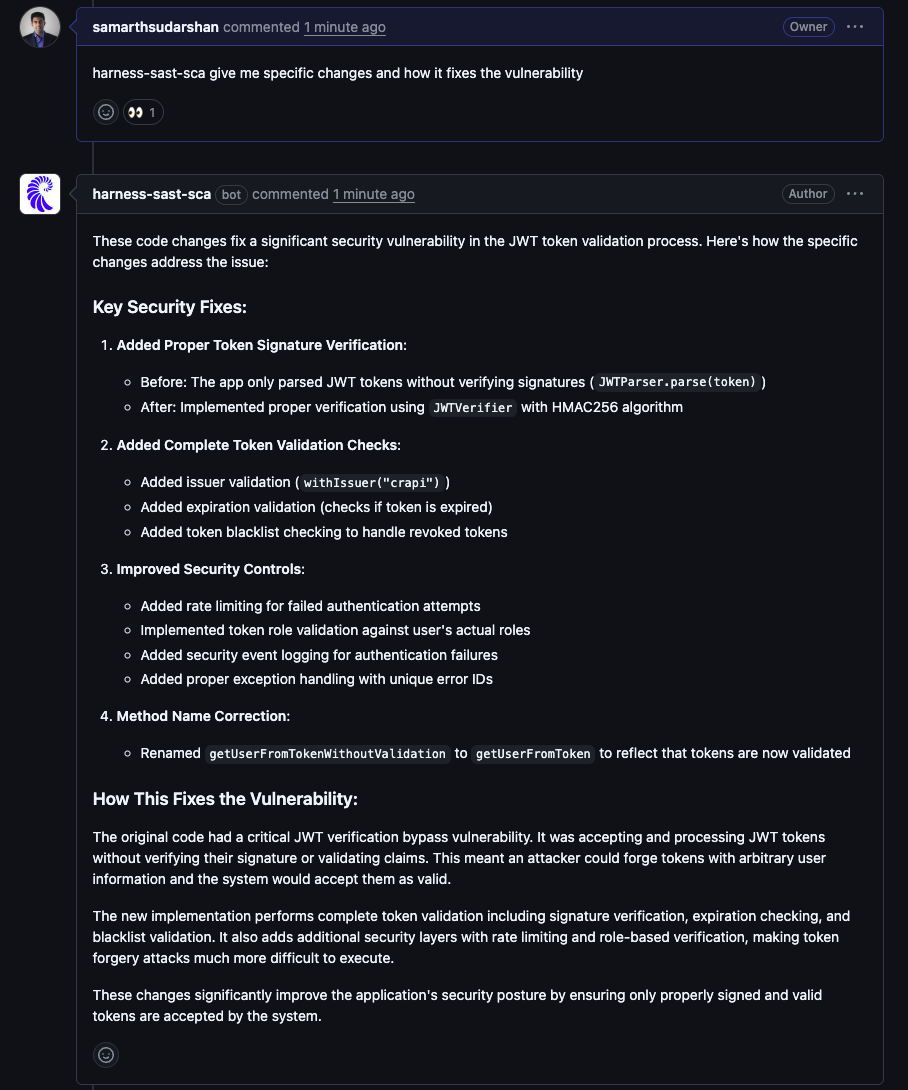
You can interact with the AutoFix PR by commenting and tagging the harness-sast-sca bot.
-
The bot responds contextually to supported questions and commands.
-
This allows you to understand vulnerabilities, review fixes, and iterate directly inside GitHub.
Uninstalling the GitHub App
To remove the GitHub App integration:
-
Go to the settings page and Click Disconnect.
-
You will be redirected to the GitHub App installation page and Click Uninstall on the GitHub side.