Wiz integration
The following instructions will walk you through enabling the Wiz integration to enrich the Wiz Security Graph and Wiz Findings. Please make sure to also review the Wiz - Harness SAST and SCA integration documentation page.
Prerequisites
You must have administrative privileges for Qwiet AI and access to Wiz credentials in order to set up the integration. Alternatively, your role needs the following scopes:
wiz_auth:writewiz_enrollment:readwiz_enrollment:writeproject:readproject:update
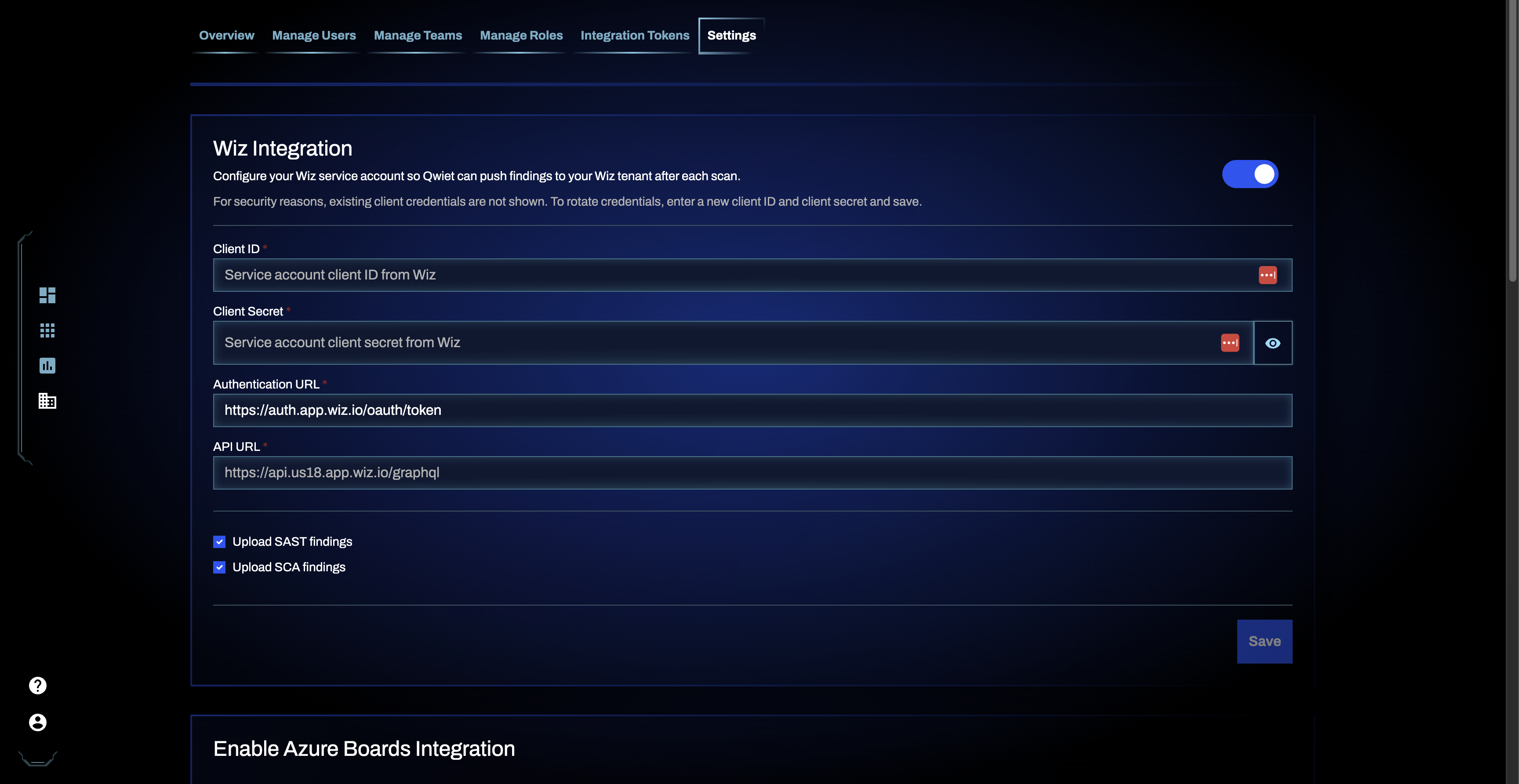
Step 1: Provide Wiz credentials
Log into the Qwiet Dashboard and go to Organization Settings. Scroll down until you find the Wiz Integration section and fill out the form. Click the Save button to save your changes.
Step 2: Application enrollment
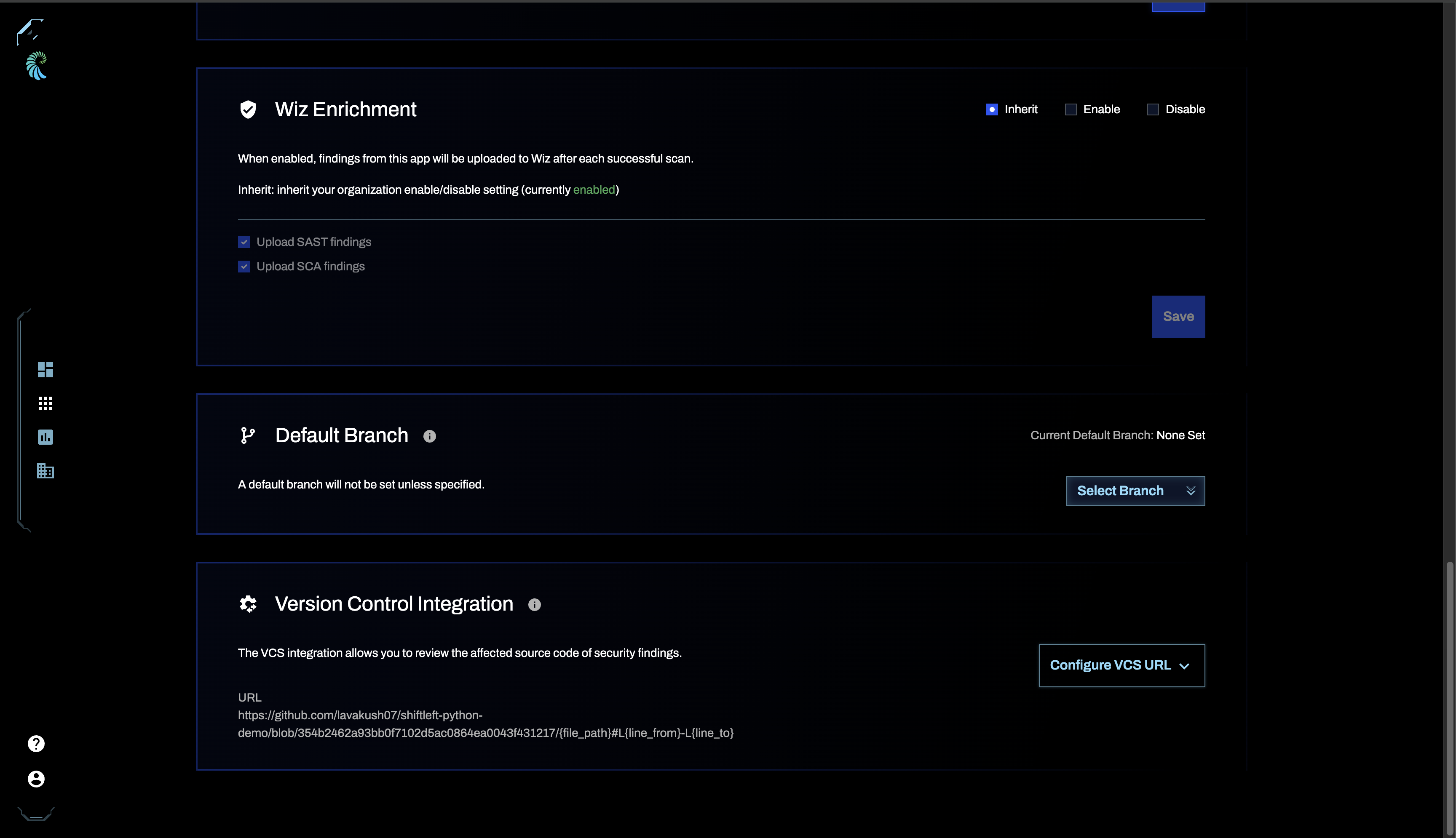
Qwiet AI applications must be enrolled for Wiz enrichment. An application can be enrolled for multiple supported finding types (e.g. SAST, SCA). Enrolled applications are selected for Wiz enrichment after a successful analysis.
You can enroll applications on the Application Settings page. Select the desired types of findings (e.g. SAST, SCA).
Limitations
- Findings: Wiz allows up to 2,000 findings per application, within a 48-hour window
- Scan storage: Wiz keeps only the most recent scan uploaded for each security scan vendor and scope
- Processing time: Wiz may take up to 24 hours to ingest and display findings
- Uploads per data source: Wiz recommends uploading on a daily basis or less. Qwiet uploads findings once a day